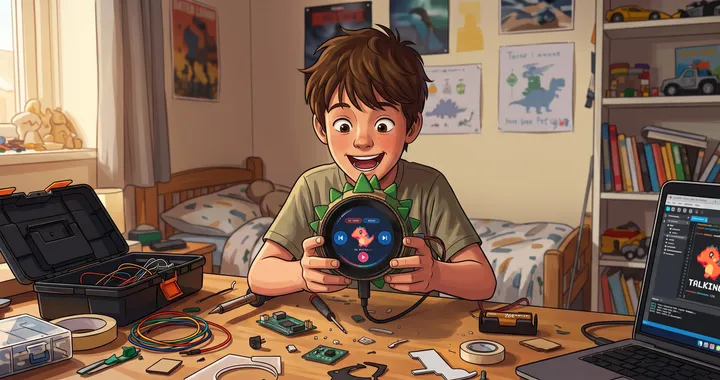
I vibe coded a retro modern toy for my son. It took a weekend, an $89 microcontroller and developer kit off Amazon, and a lot of prompts with Claude. My son named him Deadlee the Dinosaur.
The idea came from an AI commentator named Logan Currie @loganinthefuture who mentioned Muse Gadgets and specifically an SDK that lets you wire an ESP32 board or a Raspberry Pi into the Muse app. It can be used to create a custom device, and she was going to build a Tamagotchi style toy. Even though I didn't know what an SDK is and I still can't tell you, I figured if she could do it so could I.
The board and the dinosaur
So, I bought a Waveshare ESP32-S3-LCD-1.85 for the grand price $89AUD. It's a small development board with a 1.85-inch 360x360 touchscreen, Wi-Fi, Bluetooth 5, a six-axis sensor, a real-time clock chip, a speaker interface and a microphone. 8MB of PSRAM, 16MB of flash, 512KB of SRAM. The reason I chose this board because it was what Logan was going to buy and it was the perfect choice as it came with all the bells and whistles
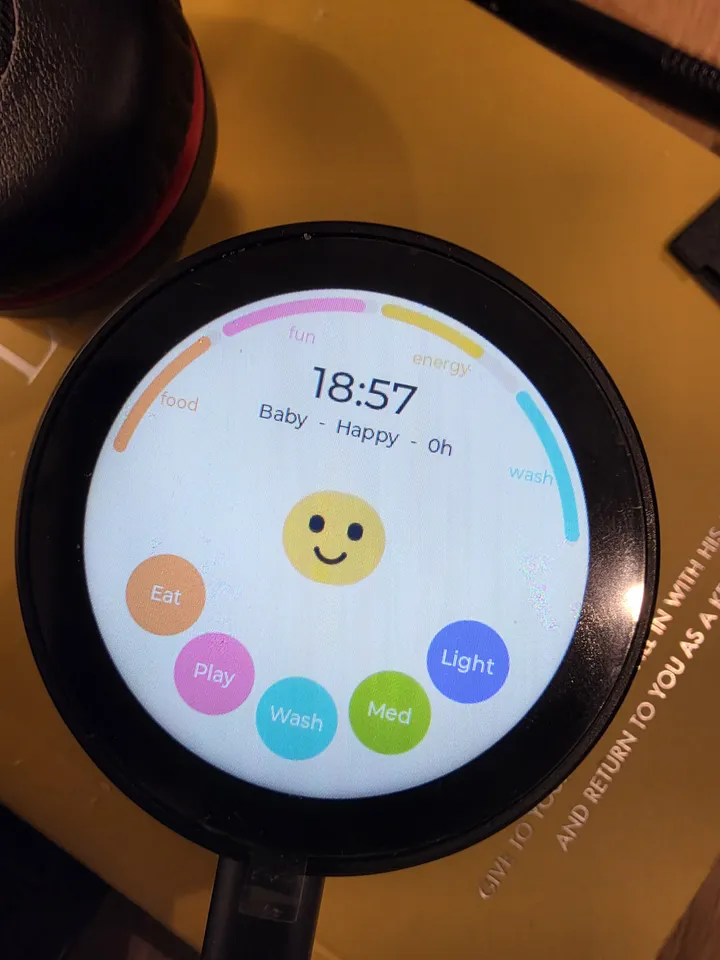
Once it arrived, all I did was attach the battery, open Claude 5.5, told it I wanted it to create a Tamagotchi-style pet that was all. I saw it search Wikipedia and then built 90% of what I wanted basic feed, play and sleep mechanics in that first pass. The only thing it didn't nail was the design. The UI was a yellow dot on a screen, not a pet.
Fixing the face
I took photos of what Claude had built and gave them to Gemini asking it to write prompts describing what the interface should look like instead. Instead, it created a prompt as well as a mock up image. I took both, gave them to Claude and asked it to consider the changes and it went ahead and updated the user interface UI. I ended up create 7 key changes that Claude created a project plan form and worked through each step at a time.
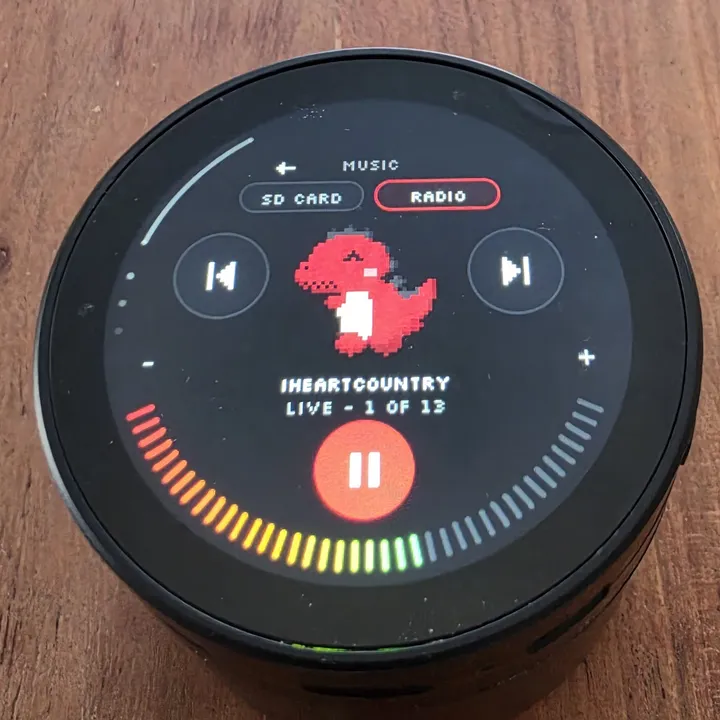
Once the core of the virtual pet was created, I used AI to brainstorm different ideas. First cab of the rank was connecting it to Wi-Fi and adding digital radio stations. Once again, Claude to the rescue, it researched local stations and provided a list of 13. All of them were added to Deadlee.
The wall
Then I hit a wall. It turns out memory on the board was nearly maxed out and the battery was draining fast. I'd read about refactoring but had never done it however, given the issues I asked Claude to refactor the code anyway. What happened next, it freed up space and set itself an overnight task to monitor what was actually pulling power. By the next day the memory problem and the battery drain were both resolved.
Giving Deadlee a personality
I could have left it there. But Muse had connected its gadget to AI, so I decided to do the same.
I asked Claude how to do it and in simple terms, over Wi-Fi I connect the Deadlee which is a screen, speaker and circuit board to a AI computer over the cloud via API. I followed Claudes instructions and linked it to Deadlee and suddenly he's smart. Admittedly I then got paranoid about my son's data sitting on someone else's server, so I connected it to my computer and downloaded a local AI: Gemma 4, the 26B variant from Google DeepMind's open model and it does exactly the same.
To give Deadlee a personality I asked Claude to look at how Hermes, a model by Nous I already use for a content hub I run, handles memory. Claude told me that Hermes works off three memory folders, so I built the same folder structure, A Soul that tells Deadlee how to behave and interact with my son, Family which provides Deadlee with details of close family and friends and Memory, which tells Deadlee things that are happening, facts to remember. From there Claude put in guardrails based on my son's age, set a personality, gave Deadlee a voice, he's British, and walked me through wiring up voice output.
I then searched additional features I could add; Deadlee will read stories I've saved in a library, current books include Winnie the Pooh, Peter Rabbit and stories by Hans Christian Andersen all for free from Project Gutenberg. Deadlee can quiz my son on countries of the world, play a maths game, set timed reminders, tell me the weather and create short stories through conversation that it then saves to the library and can read it back.
What it proves
The moat between technology, hardware and deployment no longer requires specific expertise and anyone can build a custom toy with its own personality, memory and voice. All it takes is a curious mind and lots of questions.
The moment Claude refactored Deadlee's code and fixed the battery drain overnight and set follow up tasks to make sure it ran smoothly was the moment I understood the breadth of what creators who build, have to go through to create a live product for end users. I'm still doing little tweaks here and there, the most recent was when Deadlee reads a story and I said stop and he didn't hear it and then I swiped out of talking mode and he had no recollection of what happened. I resolved it by plugging it into Claude and had it review the memory logs, 10 minutes later issue resolved.
I've been using generative AI for five months. In that time the models have changed a lot. Claude 5.5 planned the build, reviewed each stage, and refactored code I didn't understand, without me needing to learn any of it first. In addition, I would never have thought to do something like this but now, I've built websites, learnt how to host them, created a home network, a content hub, generated images and videos all of which would never have happened if I hadn't jumped headfirst into using AI. Now I can add a fun interactive toy to the list.
Try Deadlee's screen and get the code: Deadlee on Made.